
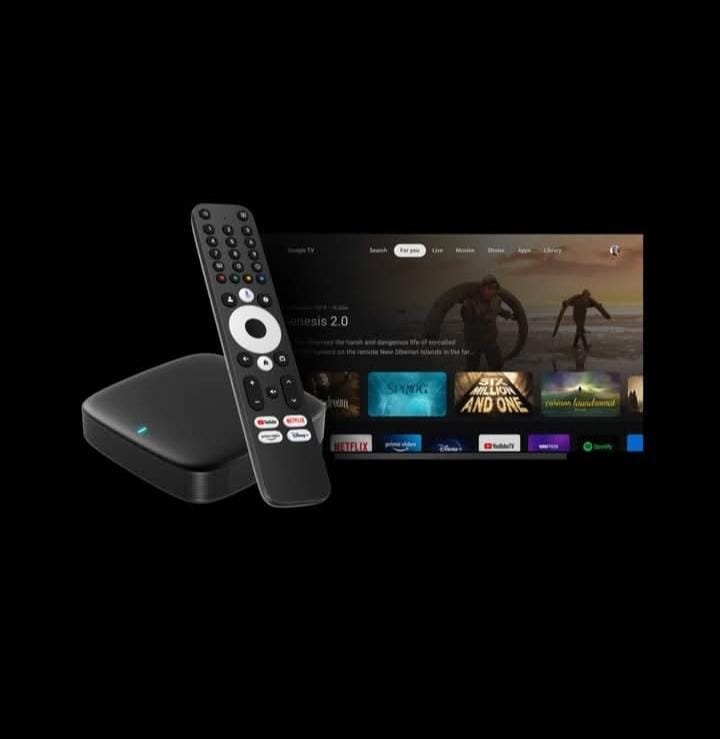
As IPTV continues to replace traditional cable TV, services like Glo IPTV have become increasingly popular thanks to their stable streams, massive entertainment libraries, and compatibility with advanced devices. One of the best ways to experience IPTV at its full potential is by using a MAG box—a powerful set-top box built for smooth, high-quality IPTV playback.
Whether you’re choosing between Glo IPTV and Xtream Codes, researching MAG devices, or learning how to set up IPTV apps like BossTV, this guide breaks down everything you need to know. You’ll also find model comparisons, setup instructions, pricing insights, and troubleshooting tips to ensure the best IPTV viewing experience.
Key Features of Glo IPTV
Glo IPTV stands out for several strong advantages:
Stable, high-quality streaming:
- Supports HD, Full HD, and 4K depending on your device
- High-performance servers minimize buffering
- Excellent for sports and live events
Large channel & VOD library
- International live channels
- Movies, series, and documentaries
- Regular updates to keep content fresh
Easy setup on MAG boxes
- Simple MAC-based activation
- Smooth navigation for beginners and pros
- Fully optimized UI for remote-control use
Affordable IPTV option
- Lower cost than traditional cable
- Multi-device and multi-room options
- Flexible monthly or yearly plans
Comparing Glo IPTV with Xtream Codes
Many IPTV services use the Xtream Codes API, a username-password-URL login system compatible with apps such as IPTV Smarters, TiviMate, and others. Here’s how it compares with a service like Glo IPTV when used on MAG boxes:
Glo IPTV
MAC-based activation
Ideal for MAG box users
Extremely stable live TV performance
Simple login using a portal URL
No complicated credential entry
Xtream Codes
Requires username, password, and portal URL
Works better on Android-based apps
More flexible for multi-app use
Easier for switching providers
Verdict
MAG box users → Glo IPTV (Best choice)
Android/Firestick/mobile users → Xtream Codes API
Both are great, but the best option depends on your device.
Popular MAG Boxes
MAG devices are known for stability, speed, and IPTV-optimized firmware. Here’s a breakdown of all major models:
Legacy MAG Models
(Older but still supported by many IPTV providers)
MAG 250 – Basic SD/HD model, suitable for older TVs
MAG 254 – Most widely used legacy box, stable and reliable
MAG 256 – Faster processor, better buffering control
MAG 270 – Slight improvement over 250/254 with better chipset
Mid-Tier MAG Models
(Better performance, modern interface, still budget-friendly)
MAG 322 – Excellent price/performance balance
MAG 324 – Faster boot time and smoother channel switching
MAG 349 – 4K support with better WiFi chipset
MAG 420 – One of the most stable mid-tier 4K MAG models
Advanced MAG Models
(Top-tier units built for Ultra HD IPTV)
MAG 424w3 – Built-in dual-band WiFi, smooth 4K playback
MAG 425A – Android TV features + IPTV support
MAG 500A – New generation chipset with advanced decoding
MAG 520 / 522 / 524 / 524w3 – Highly stable, latest Infomir firmware
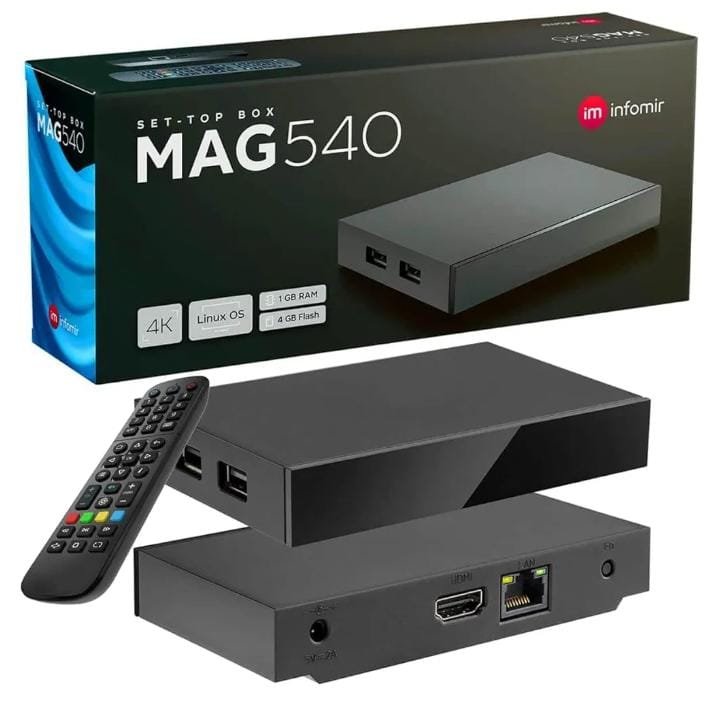
MAG 540w3 – Advanced 4K device with improved processor and WiFi module
These models provide the fastest performance, lowest buffering, and best compatibility for IPTV users who want premium quality.
Pricing for MAG Boxes
General pricing estimates (may vary by region and seller):
Legacy Models: $50–$70
Mid-Tier Models: $80–$120
Advanced Models: $120–$180+
Advanced 4K models cost more but offer the smoothest IPTV experience, especially for services like Glo IPTV.
About Infomir MAG Boxes
Infomir, the manufacturer of MAG boxes, is known for:
IPTV-optimized Linux firmware
Reliable long-term performance
Strong video decoding support (H.265, 4K, HEVC)
Easy-to-use UI designed for IPTV portals
Fast channel switching and stable playback
MAG boxes are highly recommended for users who want cable-like IPTV navigation without installing apps.
Why Use IPTV on a MAG Box?
Using a MAG box for IPTV has several advantages:
No need for apps or APK installations
MAC address activation ensures stability
Faster channel switching than Android apps
IPTV portal feels like traditional cable TV
Remote control is simple and responsive
Less lag and fewer software conflicts
Pre-Setup Requirements
Before setting up IPTV on your MAG box, make sure you have:
A stable internet connection (20 Mbps or higher recommended)
The MAC address from the bottom of your MAG box
Your IPTV provider’s portal URL (e.g., Glo IPTV URL)
HDMI cable connected to your TV
Updated MAG firmware
Final Steps & Troubleshooting
If your IPTV portal doesn’t load, here are the most common fixes:
IPTV Portal Not Loading
heck WiFi/Ethernet connection
Make sure portal URL is correct
Contact provider to confirm activation
“Stuck on Loading” Screen
Reboot the MAG box
Clear cache from system settings
Try using a wired Ethernet connection
Missing Channels
Provider may be updating servers
Refresh EPG
Restart your router + MAG box
Conclusion
Whether you’re using Glo IPTV, BossTV, or any Xtream-based service, MAG boxes offer one of the most stable and user-friendly IPTV experiences. With models ranging from budget-friendly legacy versions to advanced 4K devices, there’s a MAG box for every type of user.
From setup to troubleshooting, this guide covers everything you need to get the most out of IPTV on your MAG device—ensuring a smooth, high-quality entertainment experience.